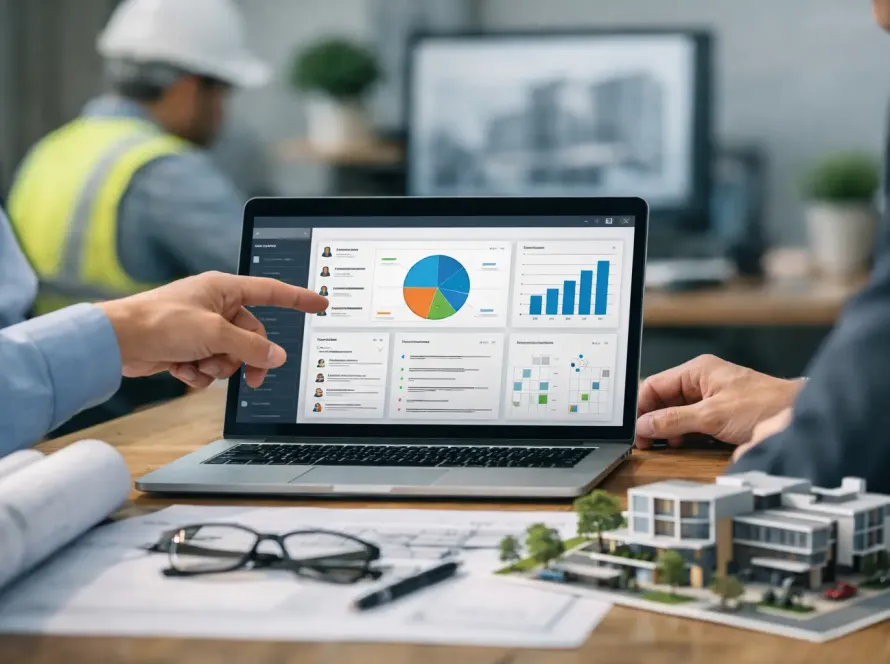
A Revit model locks up on a shared drive five minutes before coordination review, and suddenly the whole team is working around infrastructure instead of moving the project forward. That is the real issue behind cloud collaboration vs file servers in AEC – not just where files sit, but how quickly teams can coordinate, review, secure, and act on project data.
For architecture, engineering, and construction firms, this decision touches every layer of delivery. It affects model access, version control, remote work, consultant coordination, IT overhead, and visibility across the project lifecycle. If your firm still treats storage as the main question, you are solving for yesterday’s workflow.
Why cloud collaboration vs file servers matters in AEC
AEC teams do not work with light documents and simple review cycles. They work with linked models, large sheets, point cloud data, markups, RFIs, construction photos, and coordination packages that move across internal teams, external consultants, field users, and owners. A basic file server can still store that information, but storage alone does not create an efficient project environment.
File servers were built around location and control. They make sense when most users are in one office, connected to one network, and working in systems managed almost entirely on-premises. That setup still exists in some firms, especially where legacy CAD standards, compliance requirements, or sunk infrastructure costs keep everything local.
But modern BIM delivery is no longer office-bound. Teams are distributed. Consultants need controlled access without VPN friction. Project managers want real-time visibility. Leadership wants analytics, security monitoring, and cleaner handoffs between design, coordination, and operations. That is where cloud collaboration changes the equation.
What file servers still do well
It would be lazy to say file servers are obsolete. They are not.
A well-managed file server can offer predictable local performance, direct administrative control, and a familiar structure for firms with established naming standards and disciplined IT teams. If a team works primarily from one office and relies on local network speed for large model access, an on-premises server may still feel faster for certain tasks.
There is also a comfort factor. Many firms know exactly how permissions, backups, folder structures, and archive processes work on their servers. That kind of operational familiarity matters, especially when project delivery depends on consistency.
The trade-off is that file servers often push collaboration into manual workarounds. Remote access may depend on VPNs that slow performance. External sharing can become a security risk or an administrative burden. Version control often relies on naming discipline rather than system intelligence. And once multiple firms are involved, the server stops being a collaboration environment and becomes a storage endpoint with extra friction.
Where cloud collaboration pulls ahead
Cloud collaboration is not just hosted storage. In a strong AEC setup, it becomes the operating layer around project information.
That means controlled access by role, version tracking, activity visibility, distributed team support, and better coordination between office and field. It also means fewer points of failure tied to one physical location. If a team member is in a job trailer, at home, in a client meeting, or working across offices, access does not depend on being close to the server rack.
This matters even more in BIM-centric environments. Models are rarely isolated. They connect to issue tracking, reviews, approvals, submittals, asset information, and performance data. Cloud collaboration supports that connected workflow more naturally because it is designed for participation across teams, not just storage inside a local network.
For decision-makers, the biggest shift is visibility. Cloud systems can give firms a clearer view into who accessed what, what changed, where bottlenecks are forming, and how project information is moving. That is a business advantage, not just an IT feature.
Cloud collaboration vs file servers for BIM workflows
In BIM workflows, the difference becomes more obvious the moment coordination intensity increases.
A file server can support model storage, but it usually does not solve the larger workflow around model exchange, review cycles, issue tracking, consultant access, and downstream data use. Teams often end up stitching together email, FTP tools, local folders, spreadsheets, and meeting notes just to keep the process moving.
Cloud collaboration reduces that fragmentation. When model files, discussions, approvals, and analytics live in a connected environment, teams spend less time chasing the latest package and more time making project decisions. That is especially valuable when multiple disciplines are contributing to a live project dataset.
It also improves resilience. If one BIM manager becomes the gatekeeper for folder access and file publishing on a traditional server, that creates a bottleneck. In a cloud-based environment with structured permissions and shared visibility, coordination becomes less dependent on one person manually controlling the flow of information.
This does not mean every BIM process should move blindly to the cloud. Very large files, specialized desktop dependencies, and project-specific compliance requirements may still call for hybrid strategies. But for most firms trying to scale digital delivery, cloud collaboration aligns better with how projects actually operate now.
Security is not a simple win for either side
Security conversations around cloud collaboration vs file servers often get oversimplified. Some firms assume on-premises means safer because the hardware is in their building. Others assume cloud is automatically more secure because it comes with enterprise-grade monitoring.
Both views miss the real question, which is whether security is actively managed.
A file server can be secure if the firm has mature policies, patching discipline, access governance, offsite backup strategy, and strong internal controls. But many firms overestimate their own capacity to maintain that standard consistently.
Cloud collaboration platforms can offer stronger access controls, logging, redundancy, and recovery options than a typical in-house setup. They can also reduce risky behaviors like emailing large attachments or creating unsanctioned side copies of project files. But cloud security still depends on proper permissions, user governance, and platform selection.
In AEC, the best security model is usually the one that reduces human workarounds. If your official system is slow, confusing, or hard to access, users will route around it. That is where risk grows.
Cost, IT overhead, and scalability
On paper, file servers may look cheaper because the hardware is already owned. In practice, the full cost includes maintenance, upgrades, backup systems, downtime risk, security management, remote access support, and the internal labor required to keep everything running.
Cloud collaboration shifts that cost structure. Instead of carrying as much infrastructure internally, firms pay for access, capability, and scalability. For growing organizations, that can be easier to plan around because expansion does not always require another round of hardware decisions.
Scalability is where many firms feel the difference. When new offices open, outside consultants join, or project volume spikes, cloud systems adapt faster. File servers can support growth, but scaling often brings more IT complexity with it.
That said, small firms with stable teams and centralized operations may not feel immediate pressure to move everything. If the current server environment is disciplined, fast, and aligned to project needs, a full migration may not be urgent. The smarter move may be adding collaboration layers around core storage rather than replacing everything at once.
What AEC firms should actually ask before choosing
The better question is not whether cloud is newer or file servers are older. It is whether your current environment supports the way your teams work now.
If your staff regularly waits on VPN access, duplicates files for external review, struggles with version confusion, or lacks visibility across project activity, then the problem is bigger than storage. If leadership wants stronger analytics, integrated workflow systems, secure file transfer, and a more connected digital delivery model, file servers alone are unlikely to carry that strategy.
If your projects are highly localized, your IT controls are mature, and your delivery model depends heavily on local infrastructure, then file servers may still play a useful role. But even then, the long-term direction of AEC is moving toward connected platforms, not isolated repositories.
That is why many firms are landing on a hybrid path. Keep what performs well locally. Move collaboration, access control, visibility, and cross-team coordination into a cloud environment designed for modern delivery. That approach respects real-world constraints while still pushing the business forward.
For firms ready to modernize BIM workflows, centralize project intelligence, and reduce friction across design and operations, a connected platform matters more than another folder tree. If you are looking for a smarter way to bring collaboration, data management, secure file exchange, and business infrastructure into one AEC ecosystem, BIMeta offers a path built for that reality. Register Today at https://chat.bimeta.net/welcome.
The firms gaining ground are not just storing files better. They are building systems that let project data move with the speed of the work.