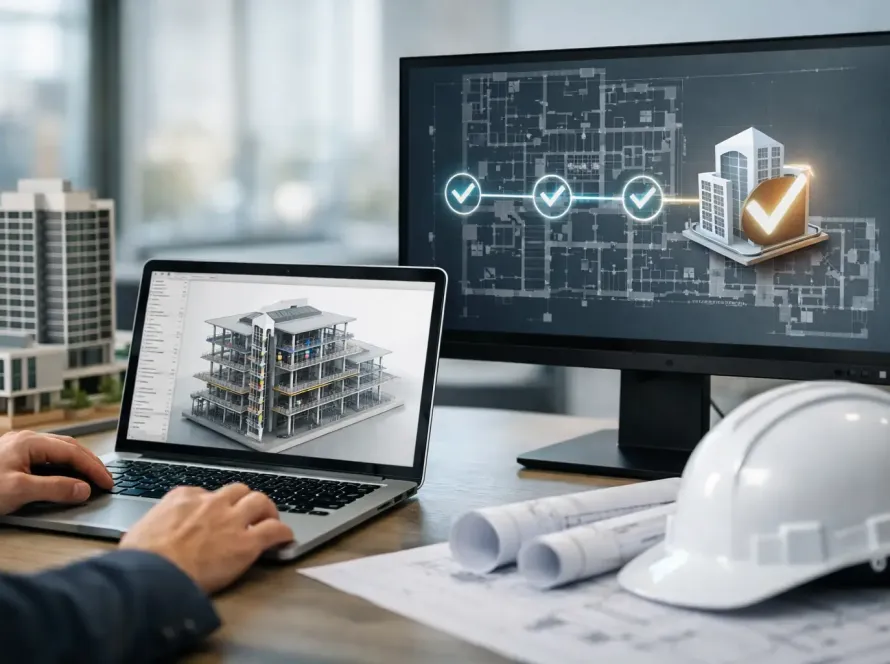
A grading model is ready for review, the pipe network has changed twice, and three teams are still working from different file versions. That is exactly where Civil 3D collaboration tools stop being a nice add-on and start becoming project infrastructure. For civil engineering teams, collaboration is not just about sharing drawings. It is about controlling change, protecting model integrity, and keeping decisions visible across design, review, and delivery.
Civil 3D is powerful, but most project slowdowns do not come from the modeling engine itself. They come from disconnected communication, scattered files, weak approval trails, and limited visibility into who changed what. If your team is still relying on email chains, local folders, and ad hoc markups, the problem is not Civil 3D. The problem is the collaboration layer around it.
What Civil 3D collaboration tools actually need to solve
Not every tool that claims to support collaboration is built for civil workflows. Civil 3D projects carry large datasets, references, surfaces, alignments, corridors, pressure networks, and survey inputs that evolve quickly. A generic file-sharing app can move data around, but it usually cannot support the decision-making rhythm of infrastructure design.
The right Civil 3D collaboration tools need to do three things well. First, they need to centralize project information so teams are not guessing which file is current. Second, they need to preserve context, meaning comments, approvals, revisions, and related documents stay connected to the work. Third, they need to reduce friction between technical production and business operations, because project delivery is never just a design problem.
That last point is often missed. Engineering teams may focus on model access and version control, while firm leaders need reporting, accountability, client communication, and operational visibility. When those systems live in separate places, collaboration gets slower even if the modeling workflow is technically functional.
The core categories of Civil 3D collaboration tools
Some teams look for one product to do everything. Others build a stack of connected systems. Both approaches can work, but only if you understand the roles each tool plays.
File and document coordination
At the base level, teams need a reliable place to store and access drawings, data shortcuts, references, PDFs, reports, and submittal packages. The minimum requirement is controlled access and version history. Without that, every coordination meeting starts with uncertainty.
But storage alone is not enough. Civil teams also need structured file organization, permissions, and a way to keep supporting documents tied to the model lifecycle. A folder full of renamed files is not a collaboration system. It is a risk waiting to surface during review or construction.
Design review and issue tracking
Civil design changes rarely happen in isolation. A revision to drainage may affect grading. A corridor update may create conflicts with utilities. A review tool needs to let teams capture issues clearly, assign responsibility, track status, and maintain an audit trail.
This is where many firms still lose time. Comments live in redlines, screenshots, chat threads, and meeting notes with no unified record. The result is repeated rework and avoidable confusion. Strong issue tracking shortens review cycles because it gives everyone one source of truth for what needs to happen next.
Communication tied to project data
Fast communication matters, but context matters more. A quick message is helpful only if it stays connected to the relevant file, task, or decision. Civil 3D collaboration tools should reduce the need to search across inboxes and disconnected apps just to understand why a design changed.
That does not mean every conversation must happen in one interface. It does mean your collaboration environment should preserve history in a way that supports accountability and future reference.
Visibility and operations
For growing firms, collaboration extends beyond design teams. Project managers, directors, and operations leads need visibility into progress, delays, handoffs, and team activity. They also need security controls, access governance, and reporting.
This is where platform thinking becomes more valuable than point solutions. A tool may handle comments well, but if it cannot support analytics, secure transfer, business coordination, or cross-functional visibility, it will create another silo instead of removing one.
How to evaluate Civil 3D collaboration tools without wasting budget
The fastest way to choose the wrong system is to evaluate it only on feature count. Civil workflows are too specific for that. A longer feature list does not guarantee a better operational fit.
Start with your current failure points. If your team struggles with duplicated files, prioritize centralized file governance and access control. If review cycles drag, focus on issue management and approval traceability. If leadership has weak visibility across jobs, analytics and workflow reporting should move higher on the list.
Interoperability matters just as much as direct functionality. Most firms do not operate in Civil 3D alone. They also touch AutoCAD, Revit, field data, CRM systems, document workflows, and client-facing deliverables. The best collaboration environment is usually the one that connects these moving parts with the least friction.
Security should be non-negotiable, especially for firms managing infrastructure, utility, transportation, or public-sector work. File sharing without proper permissions and transfer controls creates exposure that can outweigh any short-term productivity gains.
There is also a practical trade-off between specialization and scale. Highly specialized tools can improve a narrow task quickly. Broader platforms can create more value across the business, but they may require better planning during rollout. It depends on whether your immediate pain is tactical or structural.
Why disconnected tools keep slowing down civil teams
Most civil firms do not suffer from a lack of software. They suffer from too many systems doing too little together. One app handles files, another handles comments, another handles meetings, another handles reporting, and none of them present a full project picture.
That fragmentation creates quiet inefficiencies that compound over time. Team members spend extra minutes locating the latest files, confirming decisions, chasing approvals, and rebuilding context. On a single project, that may look manageable. Across multiple projects and disciplines, it becomes a serious drag on margin and delivery speed.
The stronger approach is to treat collaboration as part of the digital delivery stack, not as a side utility. When design data, communication, document control, analytics, and business workflows align, teams move faster because they stop translating between systems.
A smarter model for Civil 3D collaboration tools
The next step for many firms is not just better file sharing. It is a connected environment where technical work and project operations support each other. That includes secure document access, coordinated communication, workflow visibility, integration with design ecosystems, and broader project intelligence.
This is where a platform approach can outperform standalone apps. Instead of forcing teams to jump between disconnected tools, a connected AEC ecosystem can support collaboration, data management, analytics, digital workflows, and business operations in one place. For firms trying to scale without increasing chaos, that difference is substantial.
BIMeta reflects that shift. Rather than treating collaboration as a narrow plugin function, it supports a wider operational model built around connected BIM workflows, secure file transfer, analytics, digital twins, and business infrastructure that helps firms manage more than just model files. For teams working across Civil 3D and related platforms, that broader coordination layer can close gaps that point tools often leave behind.
If your current setup is limiting visibility or slowing review cycles, Register Today at https://chat.bimeta.net/welcome.
When the best option is not the most complex one
Not every team needs an enterprise-scale rollout on day one. Smaller firms or project-specific teams may get strong results from improving just two areas first: controlled file access and structured review tracking. If those basics are missing, adding more advanced systems too early can create confusion.
But if your firm already manages multiple disciplines, multiple offices, or high-volume project delivery, small fixes will only go so far. At that stage, the issue is usually not a missing feature. It is the lack of a connected environment that supports how civil projects actually move from design to decision to delivery.
The best Civil 3D collaboration tools are the ones that reduce uncertainty. They make it easier to trust the data, follow the decisions, and keep every stakeholder working from the same operational picture. That is what turns coordination from a recurring problem into a competitive advantage.
The firms gaining ground are not just modeling faster. They are building collaboration systems that keep pace with the complexity of modern civil delivery.